

Relax tight muscles
Adjustable infrared warmth can help relax tight muscles and temporarily ease everyday stiffness across a full-length surface.




 + Apple Pay · Google Pay · Shop Pay · Affirm
 Relax tight muscles: Soothing full-body warmth helps ease everyday stiffness.
 Warmth that works locally: Heat temporarily increases blood flow in warmed areas.
 Four wavelengths of light: 150 red + NIR LEDs; separately controlled light groups.
 Customize your session: Six PEMF coils, 14 presets; use heat, light or PEMF independently.
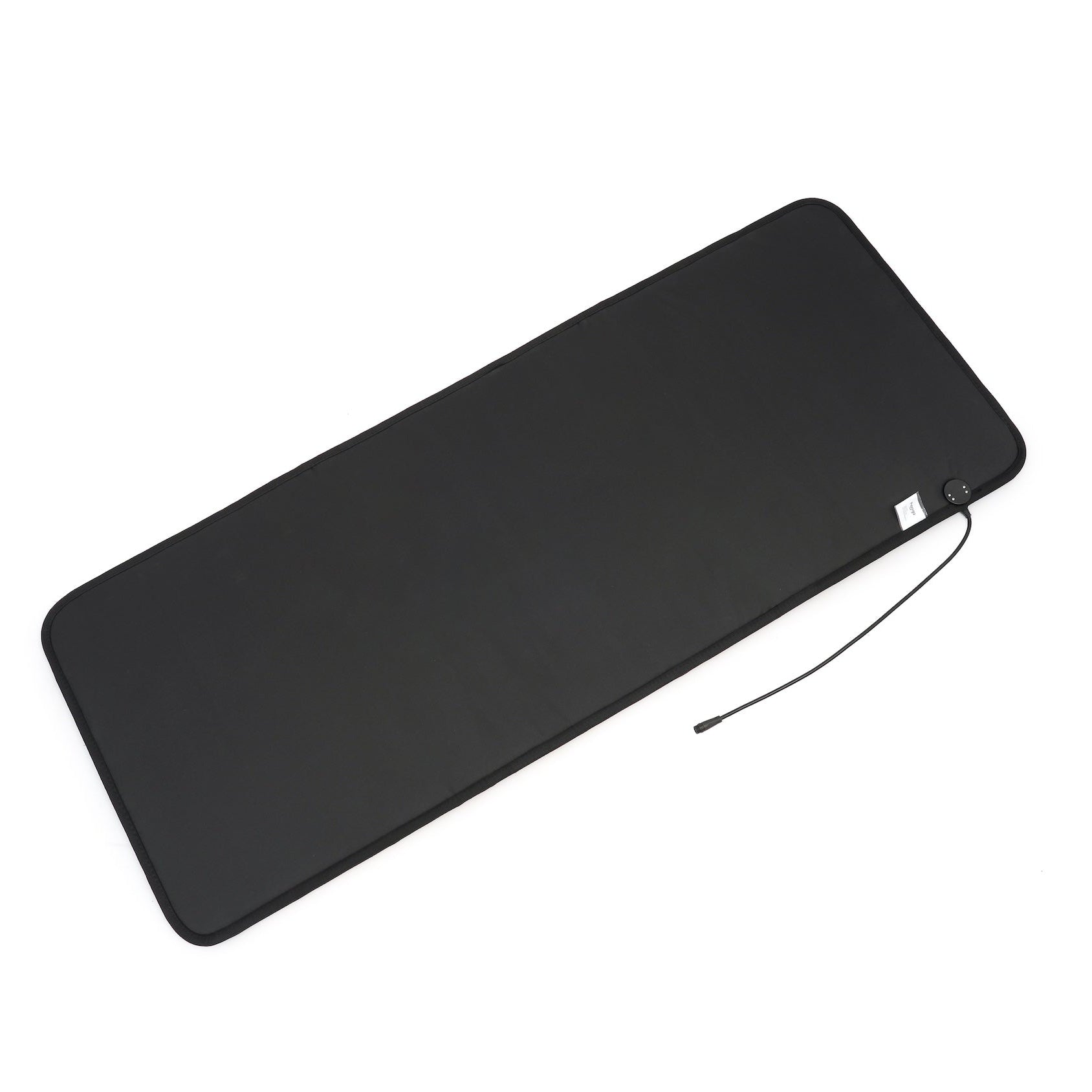
 Full-length comfort: 72.8 × 28.9 in; universal adapter; 3-year limited warranty.
Couldn't load pickup availability
Explore product details
Swipe to see morePEMF. Light. Infrared warmth.
Full-body infrared warmth, customizable PEMF, and four wavelengths of red and near-infrared light. Choose the functions you want, with independent controls for your at-home routine.

Benefits for your daily routine
Start with the comfort of adjustable warmth. Add the other functions when you want them, without needing to use everything at once.
Adjustable infrared warmth can help relax tight muscles and temporarily ease everyday stiffness across a full-length surface.
Gentle heat temporarily widens blood vessels near the skin, increasing blood flow in warmed areas. Choose comfortable warmth, not the highest setting.
Create a comfortable evening wind-down with a book or a quiet moment. Choose gentle warmth and remain awake during your heated session.
Six round copper PEMF coils, 14 presets and manual frequency selection provide a range of settings without promises of sleep, focus or energy outcomes.
Choose heat, PEMF, red light or near-infrared light separately. Use one function or combine your preferred settings.
The full-length 185 × 73.5 cm surface gives you room to settle in. At 13 kg, it is substantial rather than a lightweight travel mat.

Know what you’re buying
The light array is built into the mat itself. A wired S70PVA digital controller brings its separate functions together in one place.
Different functions. Clear controls.
PEMF uses pulsed magnetic fields. LEDs provide red and near-infrared light. Far-infrared heat provides warmth. You do not need to run all three at once.
Use one of 14 presets, P1–P14, covering 0.9–45 Hz. Manual mode offers selectable frequencies from 0.1–100 Hz.
Timing: Presets stop at the end of their programmed run. Manual PEMF shuts off after 30 minutes. Program lengths vary; see the manual before choosing one.
Photon Button 1 controls red light at 630nm and 660nm. Photon Button 2 controls near-infrared light at 810nm and 850nm.
Timing: Each light program runs for two hours unless switched off sooner. This is the program duration, not a requirement to stay on the mat for two hours.
Adjust the temperature from 86°F to 140°F (30°C to 60°C). Start low and use the separate heating timer; heat does not need to be on for light or PEMF.
Good to know: The light, heat, and PEMF functions have different timing. Check each function rather than assuming they all finish together.
The S70PVA controller includes separate function buttons, a temperature display, and a PEMF display. You can switch the temperature display between °F and °C.
Auto shut-off: The controller powers down after 12 hours without operation. Turn off and unplug the mat when you finish.
What the evidence can tell you
Heat, PEMF and light are different technologies. General research helps explain them; it does not establish clinical outcomes for this product or its combined functions.
Controlled warmth can help relax muscles and temporarily ease stiffness. Heat widens blood vessels near the skin, increasing blood flow in warmed areas. These are general effects of heat, not proof that infrared mats outperform ordinary heating pads (NHS heat guidance).
Use gentle warmth. Avoid heat on fresh injuries or hot, swollen areas, and follow the mat’s safety instructions. Higher temperatures are not a shortcut to better results.
PEMF has been studied for musculoskeletal discomfort, including osteoarthritis. A review of reviews found possible short-term benefits, but small studies, variable protocols and study quality limit confidence (2022 research review).
A 2026 sham-controlled knee study improved one muscle-strength measure but did not significantly improve patient-reported symptoms or several other outcomes (2026 randomized trial).
Frequency, field strength, waveform, treatment duration and device configuration matter when comparing research. These studies do not establish outcomes for the Red Light PEMF Mat. It is not intended to treat arthritis or other diseases.
Plan your first session
Place it on a flat, stable, dry surface. Connect the controller to the mat, then connect the included adapter to a suitable outlet.
Select a PEMF preset or manual frequency. Turn on red light, near-infrared light, or both if desired. Set heat separately and start at a low temperature.
The manual recommends starting with 10–15 minutes. Use comfortable settings, remain awake during heated sessions, monitor your skin and stop if you experience discomfort. A timer’s run time is not a recommendation to use the product for that entire period.
Switch off each function, power down, and unplug. Let the mat cool completely, then roll it loosely rather than making sharp folds or creases.
Choose the right mat
Choose by the functions you want, not by assuming more features are essential for every routine.
The full-body option with integrated red and near-infrared light.
Choose it for: Light, PEMF, and warmth in one mat, with independent control.
The full-body alternative without integrated red-light LEDs.
Choose it for: A focused PEMF and heated-mat routine.
Explore the PEMF Mat →Prefer a seated format? The PEMF Chair Mat pairs PEMF and infrared heat in a smaller design, without red-light LEDs.
Read before use
Do not use during pregnancy, with metal implants or implanted electronic devices, or with medications that could interact with PEMF. The manual also restricts use with underlying health conditions. If any apply, do not start use; discuss suitability with your healthcare provider and follow the manual. Do not use on infants, while intoxicated or with reduced heat sensation.
Keep heat gentle and use only in a dry environment. Do not look directly into the light or use on heat-sensitive facial skin. Stop if you experience discomfort. This is a general-wellness device, not intended to diagnose, treat, cure or prevent disease.
Before you buy
Heat provides physical warmth. PEMF uses changing electromagnetic fields from embedded coils and is a separate function. A heat setting is not a PEMF frequency.
PEMF has been studied for musculoskeletal discomfort, including osteoarthritis, with possible short-term benefits but important study limitations. Different devices and protocols are not interchangeable, and the research does not establish clinical outcomes for this product (research review).
There are 150 LEDs in total: 75 red LEDs delivering 630 and 660 nm, and 75 near-infrared LEDs delivering 810 and 850 nm. Four wavelengths across two separately controlled light groups; the split within each wavelength pair is not specified.
Fourteen presets operate within 0.9–45 Hz. Manufacturer-confirmed manual mode spans 0.1–100 Hz and shuts off after 30 minutes; preset durations vary. Red and near-infrared light programs each run for two hours. These are controller run times, not recommendations to stay on the mat that long.
Heat is adjustable from 86°F to 140°F (30°C–60°C), separately from PEMF and light. Use only the supplied universal AC 100–240 V, 50/60 Hz adapter. The device is rated DC 36 V, 180 W; the adapter, not the mat itself, connects to mains power.
The mat is 185 × 73.5 cm (approximately 72.8 × 28.9 inches) and weighs 13 kg (approximately 28.7 lb). Switch off, unplug and let it cool fully before rolling loosely into its carrying bag. Do not sharply fold or crease it.
Choose heat, PEMF, red light or near-infrared light separately. Use one function or combine your preferred settings.
The manual recommends starting with 10–15 minutes. Start with gentle heat, remain awake during heated sessions and stop if you experience discomfort. Long program times are not recommended session lengths.
If the device is suitable for you, comfortable warmth can be part of a post-activity or evening wind-down routine. Avoid heat on fresh injuries or hot, swollen areas. This is not a promise of faster recovery or treatment for sleep problems.
Do not use during pregnancy, with metal implants or implanted electronic devices, or with medications that could interact with PEMF. The manual also restricts use with underlying health conditions. If any apply, do not start use; discuss suitability with your healthcare provider and follow the manual. Do not use on infants, while intoxicated or with reduced heat sensation. Read the full manual before use.
A three-year limited warranty and a 60-day return window from delivery apply. Return shipping is deducted from the refund. See the warranty and return policy for full terms.
Eligible customers can explore HSA/FSA payment through Truemed. Qualification and documentation requirements apply; see Hooga’s HSA/FSA information.
A considered purchase. Practical support.
Choose the format and functions that fit your routine, backed by a three-year limited warranty and Hooga support when you have questions.

500,000+ CUSTOMERS

OR DOMESTIC SHIPPING WITH WORLDWIDE SHIPPING OPTIONS

3 YEAR COVERAGE
